
Ideas for better growth
How to Add a Visitor Counter to Your Website
Chris Content · · 4 min read

Live view counts can nudge a decision or destroy trust. When a real counter helps, why fabricated numbers are a serious risk, and how to present them honestly.
A live visitor counter says: other people are here, this is worth your attention. On a busy page that is genuine social proof. On a quiet page it either exposes how quiet you are, or tempts you into making the number up.
Making it up is where this widget becomes a real problem.
Why fabricated counters are a serious risk
Many "social proof" tools generate activity numbers at random: "17 people are viewing this", "3 sold in the last hour", regardless of what actually happened.
That is a false statement about your business presented as fact:
- In most markets it falls under consumer protection rules on misleading commercial practices
- It is trivially detectable - reload the page, open it in another browser, or watch the number behave impossibly
- Once a visitor catches one invented number, every other claim on the page becomes suspect
- Screenshots of implausible counters circulate; the reputational cost outlasts any conversion gain
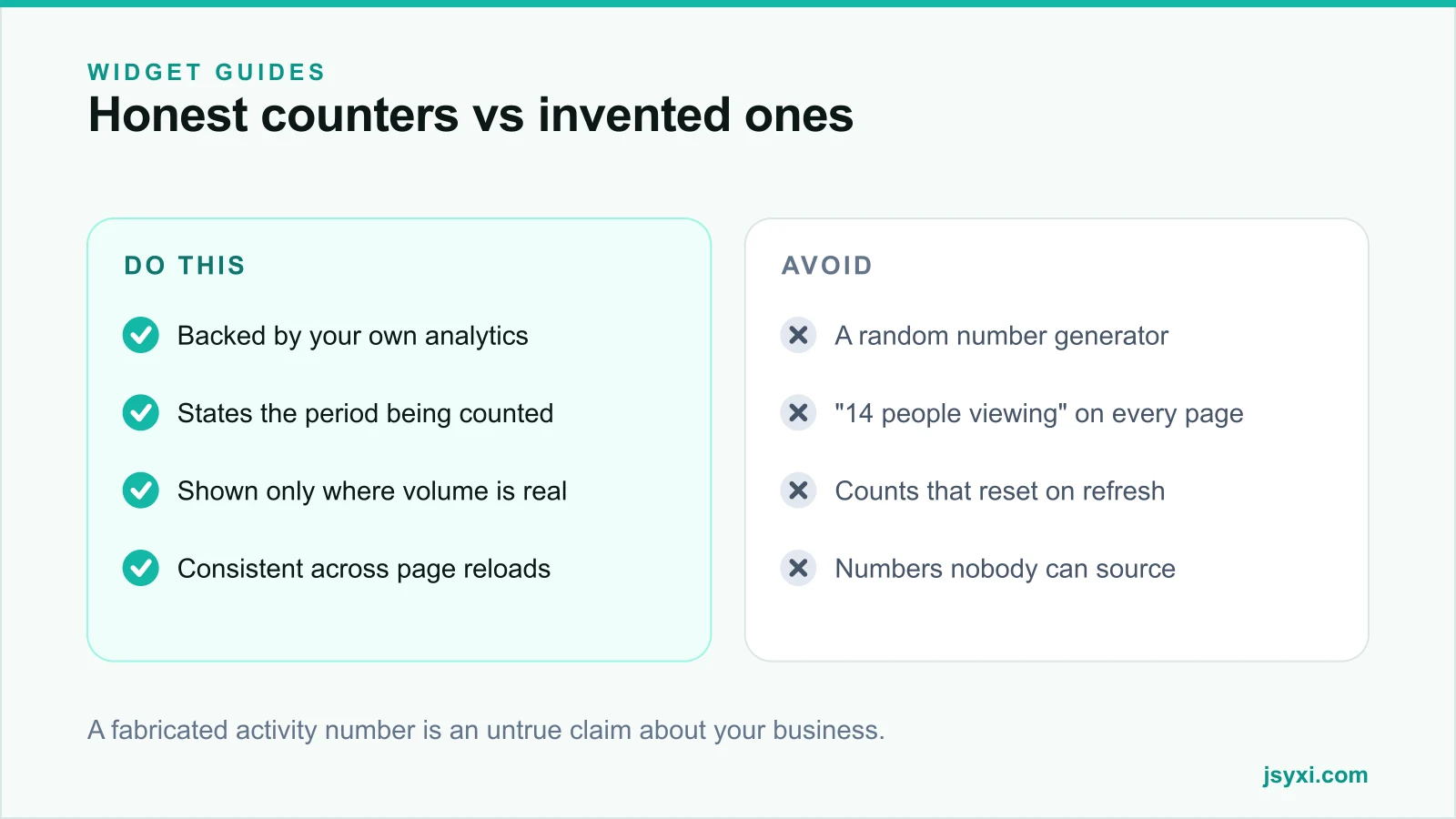
The rule is simple: if the number is not measured, do not display it.
When a real counter helps
A genuine counter works when the numbers are real and reasonably high:
- Popular product pages during a campaign, where concurrent interest is genuinely high
- Event registration pages approaching a real capacity limit
- Limited-release drops, where the pressure is honest
- Content pages, showing total reads as a credibility signal rather than urgency
- Community or listing pages, where activity is the point
When to leave it off
- Any page where the honest number would be one or two
- Checkout, where nothing should distract from completing the order
- Pages where the number fluctuates wildly and looks unstable
- Anywhere you would be tempted to "adjust" the figure
A quiet page with no counter reads as normal. A quiet page showing "1 person viewing" reads as failing.
Use first-party data
The Visitor Counter widget shows a live view count backed by your own first-party analytics rather than an invented figure. That matters for two reasons: the number is true, and it comes from data you own rather than a third-party tracker.
This also keeps working as cross-site tracking narrows - see our guide on measuring without third-party cookies.
Present it honestly
The label carries the honesty:
- Say what is counted: views, unique visitors, or people currently on the page
- State the period: "in the last 24 hours", "since launch", "right now"
- Do not round upward to a flattering threshold
- Keep the presentation calm. A pulsing red badge turns information into pressure
- Be consistent. The same number should not change dramatically between reloads
"1,284 views in the last 7 days" is information. "🔥 23 people looking right now!" on a page with four visitors a day is not.
Consider the alternatives
Often a different number is both more honest and more persuasive:
- Total orders or units sold, which is stable and verifiable
- Review count with average rating, using the Reviews widget
- Stock remaining, if you actually track it
- **An animated counter** of all-time figures - see our counters guide
Our post on social proof types and placement maps which proof answers which doubt, and honest urgency covers the same line for countdowns.
Keep it light and accessible
- The counter should not block rendering or add a heavy third-party script
- Live updates must not be announced repeatedly to screen readers - use a polite live region or update quietly
- Do not animate constantly; motion in the corner of the eye is distracting
- Reserve its space so the number arriving does not shift the layout
Common mistakes to avoid
- Randomly generated activity numbers. A misleading claim, and easy to catch.
- A counter on a low-traffic page. It advertises the quiet.
- Counters in checkout. Distraction where focus matters most.
- Urgency styling on a neutral statistic. Flames and pulsing badges signal manipulation.
- No period stated. A number without a timeframe means nothing.
Frequently asked questions
Are live visitor counters good for conversion?
They can help on genuinely busy pages, where the number is real and high. On quiet pages they reduce confidence, and fabricated numbers damage trust across the whole site.
Is it illegal to fake visitor numbers?
Presenting invented activity as fact is a misleading commercial practice under consumer protection rules in many markets, and it is easy for a customer to disprove. Display only measured numbers.
What should a visitor counter say?
What is counted and over what period - "1,284 views in the last 7 days" or "12 people viewing now" - presented calmly, without urgency styling on a neutral statistic.
What can I show instead if traffic is low?
Stable, verifiable figures: total orders, review count with average rating, years in operation, or genuine remaining stock. These work regardless of how busy the page is today.
Next steps
Check what your real numbers are before deciding. If a page is genuinely busy, publish the true figure with the Visitor Counter widget and label the period. If it is not, use a stable all-time number instead.
Start free and keep every number on your site defensible.