
Ideas for better growth
How to Add a Cookie Consent Banner
Chris Content · · 5 min read

Add a cookie banner that respects visitors and your obligations: what actually needs consent, how to design the choice fairly, and how to avoid the dark patterns.
Most cookie banners achieve nothing except annoyance. They appear after the trackers have already fired, they make "accept" a big button and "reject" a grey link, and they reappear on every page because nobody stored the choice.
A banner is only worth adding if it actually controls what runs. This guide covers how to do that without turning your homepage into a legal document.
Step 1: Find out what you are actually setting
Before designing anything, audit what your site stores on a visitor's device. Open your browser's storage inspector on a clean profile and list:
- Cookies set by your own domain
- Cookies set by third parties - analytics, ad platforms, chat, embeds, video players
- Local storage and session storage entries
- Anything set before the visitor interacts with the page
Then classify each one:
- Strictly necessary - session, cart, login, security, load balancing. No consent needed.
- Functional - language, region, saved preferences. Usually a light touch.
- Analytics - measurement of usage.
- Marketing - advertising, retargeting, cross-site identity.
Most sites discover a handful of third-party cookies nobody remembers adding. Removing an unused tag is faster than obtaining consent for it, and it speeds the page up.
Step 2: Understand what your obligation actually is
Rules differ by jurisdiction, and they change. What is broadly consistent:
- Strictly necessary storage does not require consent
- Analytics and marketing storage generally does, in consent-based regimes
- Consent must be informed, specific, freely given, and as easy to withdraw as to give
- Pre-ticked boxes do not count as consent
- You must be able to show what a visitor consented to and when
India's Digital Personal Data Protection framework, the EU and UK regimes, and various other markets each have their own specifics. If you sell across borders, get advice on the combination that applies to you rather than copying a competitor's banner. Our privacy compliance guide for websites covers the wider picture. This article is practical guidance, not legal advice.
Step 3: Design the choice fairly
The banner should present a genuine choice:
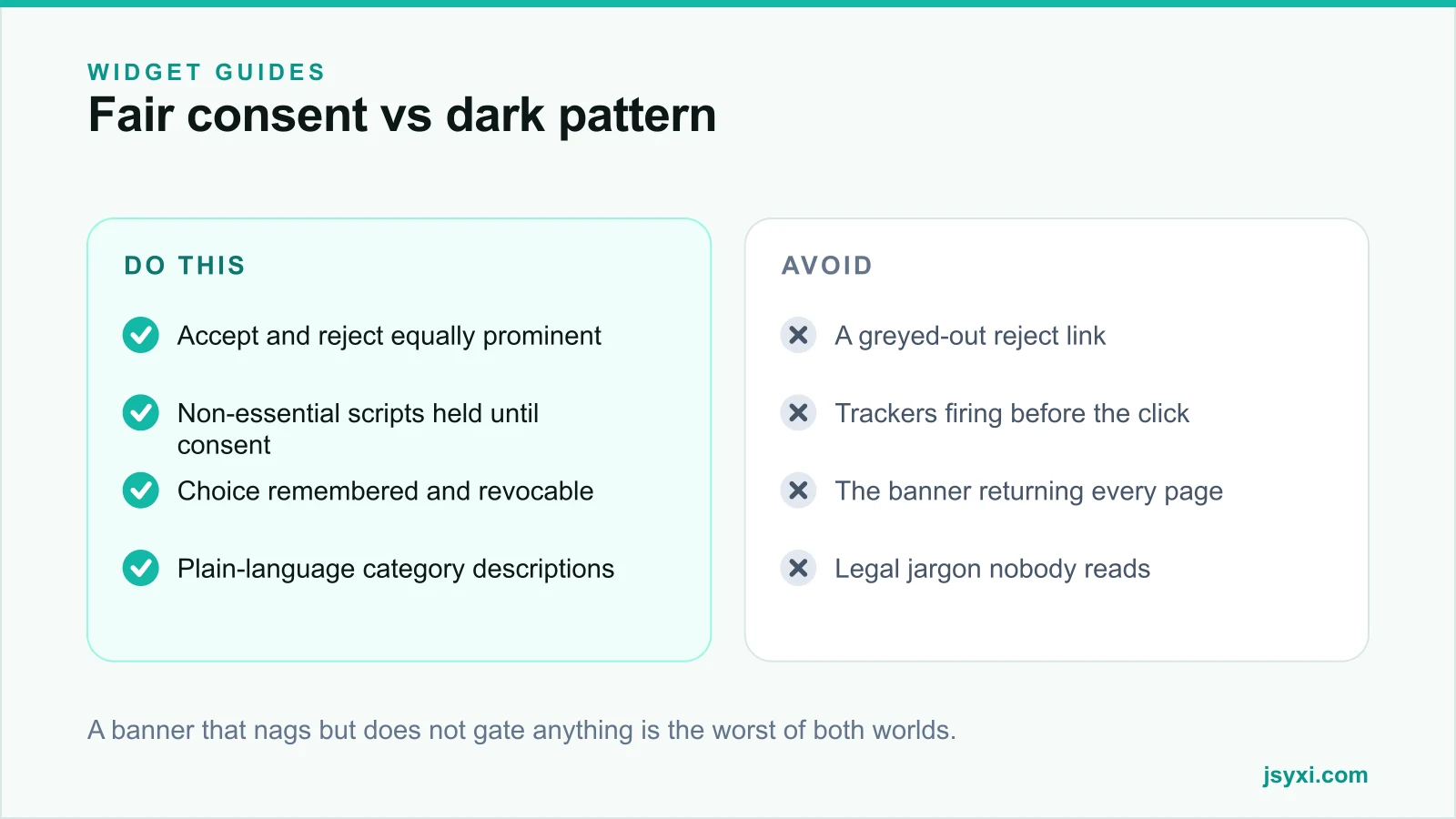
- Equal prominence. If "Accept all" is a filled button, "Reject all" must be a filled button too. Same size, same weight, same contrast.
- Reject in one click. Requiring a trip into a settings panel to decline is a pattern regulators have repeatedly criticised.
- Plain language. "We use cookies to measure how the site is used and to show relevant ads" beats a paragraph of statute references.
- Category granularity. Analytics and marketing as separate toggles, both off by default.
- A link to the full policy for people who want detail.
Keep the banner small. It should not cover the content on a phone, and it must never block the page for someone who wants to read your returns policy.
Step 4: Actually gate the scripts
This is the part most implementations skip. If your analytics and ad tags load in the page head regardless of the banner, the banner is decoration.
- Hold non-essential scripts until consent is recorded
- Load them immediately on acceptance, without a page reload
- Do not load them at all on rejection
- Remove or expire previously set cookies when consent is withdrawn
The Cookie Consent widget stores the visitor's choice and remembers it across pages so the banner does not reappear on every navigation, which is the second most common complaint after the banner itself.
Step 5: Store and honour the choice
- Persist the decision for a sensible period - many regimes expect re-consent within six to twelve months
- Record what was consented to, when, and against which banner version
- Provide a permanent way to change the choice, such as a footer link
- Re-ask when your categories or vendors change materially
A visitor who declines and then sees the banner again on the next page will assume you ignored them, and they will be right.
Step 6: Keep it fast and accessible
- The banner must be keyboard-reachable, with focus moved into it when it appears
- Escape or the reject action should dismiss it
- It must meet contrast requirements
- It should not shift the layout of the page underneath
- It should not be the largest script on your site
See our website accessibility checklist for the wider requirements.
Common mistakes to avoid
- A banner over trackers that already fired. The most common and most pointless implementation.
- Reject hidden behind "manage preferences". Widely treated as invalid consent.
- Pre-ticked category toggles. Consent must be opt-in.
- No way to change your mind. Withdrawal must be as easy as consent.
- A full-screen wall on mobile. It blocks content and increases bounce without improving compliance.
Frequently asked questions
Do I need a cookie banner if I only use Google Analytics?
In consent-based regimes, analytics cookies generally require consent. The safest and simplest route is to hold analytics until consent, or to use a measurement approach that does not store identifiers on the visitor's device.
Can I make the accept button bigger than reject?
Regulators in several markets have treated unequal prominence as invalid consent. Keep both actions visually equal and available in one click.
How long should consent last?
Commonly six to twelve months, after which you re-ask. Also re-ask whenever you add a new vendor category or materially change what you collect.
Does a cookie banner slow down my site?
A well-built one adds a small script and a rendered banner. A poorly built one loads a heavy consent platform, blocks rendering, and shifts layout. Keep it light and measure the difference.
Next steps
Audit what your site actually stores, delete the tags nobody uses, and publish an honest banner with the Cookie Consent widget that genuinely holds non-essential scripts until the visitor chooses.
Start free and get consent handled properly.