
Ideas for better growth
How to Add a Contact Form Without Code
Chris Content · · 5 min read
Build a contact form people actually finish: field choice, validation, spam control, routing into your CRM, and the follow-up that turns it into revenue.
A contact form is the cheapest sales channel most businesses own, and the one they treat most carelessly. It asks for information nobody will use, rejects valid phone numbers, and sends submissions to an inbox that one person checks on Fridays.
This guide covers how to build a form people finish and a process that turns the submission into a conversation.
Step 1: Decide what happens after submit, first
Design the follow-up before the form. Write down:
- Who receives the submission, by name
- How quickly they must respond
- What the first response says
- Where the record lives so it is not lost in an inbox
- What counts as a qualified enquiry versus noise
If you cannot answer those, adding more fields will not help. Speed of response is the single strongest predictor of whether a web enquiry converts - see speed to lead.
Step 2: Ask for the minimum
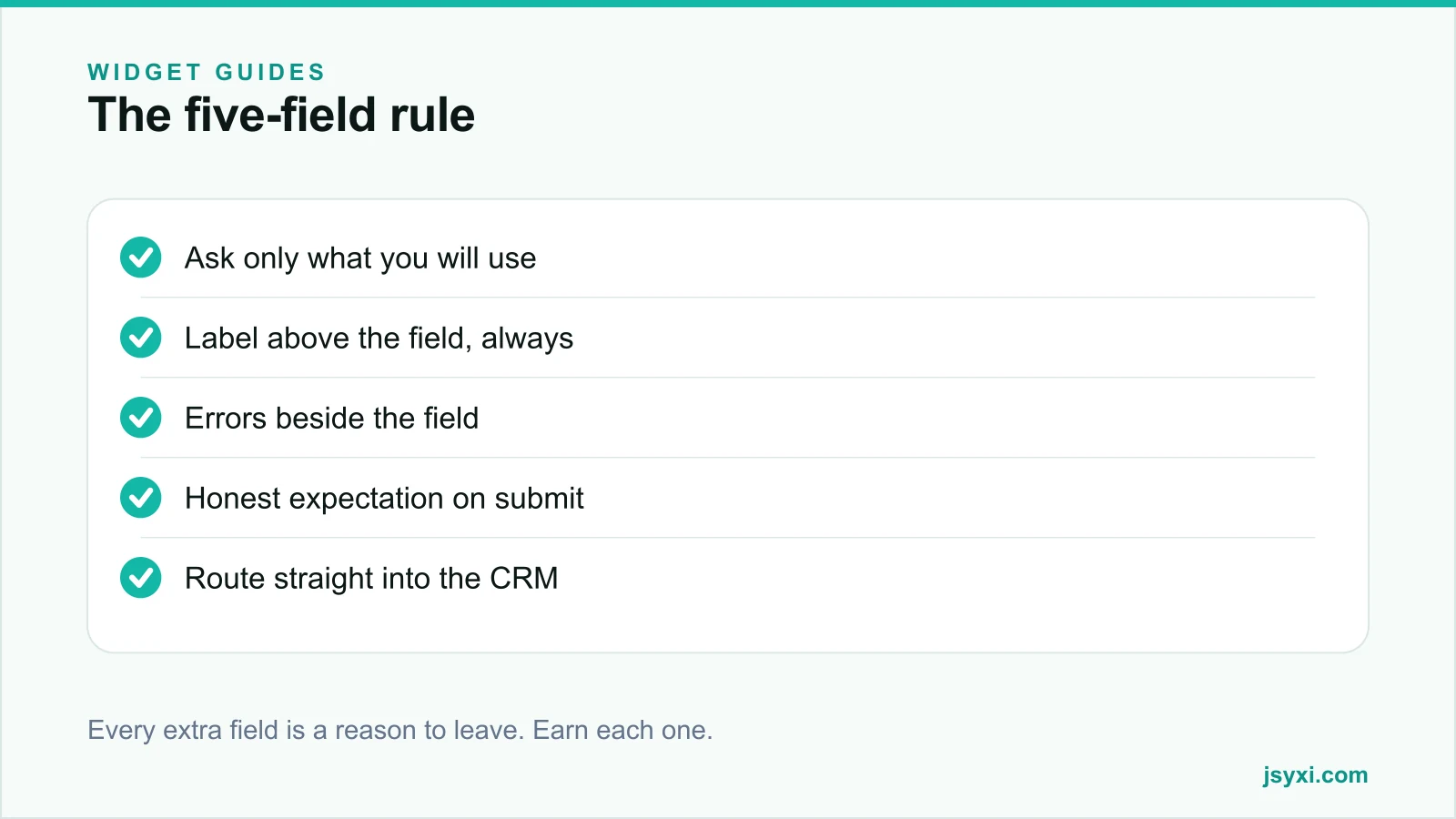
Every field is a small negotiation. Ask only for what you need to take the next step:
- Name - so the reply is human
- One contact route - email or phone, whichever you will actually use
- What they need - one open field beats five dropdowns
- One qualifier - budget band, city, or timeline, only if it changes your response
That is four fields. Company size, industry, "how did you hear about us", and job title can all be found later or asked in the reply.
If sales genuinely needs a qualifier, ask for it - but ask because it changes routing or priority, not because a form template had the field.
Step 3: Build it without a developer
With the Form Builder widget you define fields, validation, and the success message visually, then paste one embed line onto the page. Submissions can be captured as leads in your workspace rather than only landing in an inbox.
Set up:
- Field labels that describe the answer, not the database column
- Required flags only on fields you truly need
- Input types that trigger the right mobile keyboard - email, tel, number
- A submit button labelled with the action: "Request a quote", not "Submit"
- A success message that states what happens next and when
Then place it with the embed snippet guide.
Step 4: Get the mobile details right
Most enquiry forms are completed on a phone, often one-handed:
- Labels above fields, never placeholder-only. Placeholders vanish the moment typing starts.
- Large touch targets with room between them.
- Correct keyboards - a numeric pad for phone numbers, an email keyboard with the @ key for email.
- Autofill support through standard field names, so browsers can complete name, email, and phone.
- No horizontal scrolling, and no zoom on focus.
Test on a real phone with autofill enabled and one thumb. That is how the form will actually be used.
Step 5: Validate kindly
Validation should help, not punish:
- Validate on blur, not on every keystroke
- Put the error message beside the field it belongs to
- Say what is wrong and how to fix it: "Enter a 10-digit mobile number" rather than "Invalid input"
- Never clear the form on error
- Do not reject valid formats - phone numbers with spaces, plus signs, or country codes are still phone numbers
- Never rely on colour alone to indicate an error
Accept messy input and clean it up server-side. Rejecting a real customer because they typed a space is an own goal.
Step 6: Control spam without punishing humans
Spam is real, and most defences hurt genuine users more than bots:
- Prefer invisible checks - a hidden honeypot field, a submission-time threshold, and server-side rate limiting
- Use a challenge only if you are actually being flooded, and choose an accessible one
- Never use a puzzle that requires precise mouse movement
- Filter on the server as well, so obvious junk never reaches your sales queue
A visible captcha on a low-traffic contact form usually costs more real enquiries than it blocks spam.
Step 7: Route it into a process
An enquiry sitting in a shared inbox is a lead you have already half lost. Route submissions so that:
- Each one creates a record with a source, timestamp, and owner
- The owner is notified immediately, on a channel they actually watch
- The status is trackable - new, contacted, qualified, won, lost
- Nothing depends on one person remembering to forward an email
If enquiries arrive from several forms, tag them by source so you know which page produced revenue rather than which page produced volume. Our guide on website to CRM workflows covers the plumbing.
Step 8: Offer a faster alternative
Some visitors will not fill a form at any length. Offer a parallel route:
- A WhatsApp chat button for quick questions
- A phone number for high-value or urgent enquiries
- A calendar link if a call is the natural next step
Give them a choice and let them pick the channel they trust.
Common mistakes to avoid
- Fifteen fields on a first-contact form. Qualify in the conversation, not in the form.
- A success page with no expectation. "Thank you" is not information. Say when they will hear back.
- No confirmation to the visitor. Send an email or message so they have a record.
- Sending to one inbox with no owner. Enquiries die in shared mailboxes.
- Not testing the failure path. Break the network and see what the form does. Silent failure loses real money.
Frequently asked questions
How many fields should a contact form have?
Three to five for a first enquiry: name, one contact route, what they need, and at most one qualifier that changes how you respond. Each additional field measurably reduces completion.
Should a contact form ask for phone or email?
Ask for the channel you will actually use to reply. If your team calls, ask for a phone number and say you will call. Asking for both and using neither promptly is the worst option.
How do I stop contact form spam without a captcha?
Combine a hidden honeypot field, a minimum time-to-submit threshold, server-side rate limiting, and content filtering. These are invisible to real users and stop most automated submissions.
Where should the contact form go?
On a dedicated contact page, and inline on any page where an enquiry is the natural next step - service pages, pricing pages, and high-intent landing pages. Keep the form itself identical and vary only the surrounding context.
Next steps
Cut your form to the fields you will genuinely use, publish it with the Form Builder widget, and make sure every submission lands in a queue with an owner and a response-time commitment. Add a WhatsApp route for the visitors who will never fill a form.
Start free and rebuild your enquiry form this week.